Winner selection
Winner selection
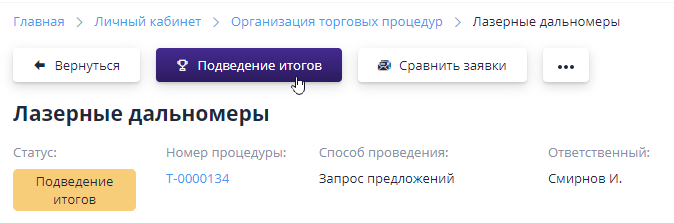
To complete the trading work, it is necessary to summarize and publish the results. The results are summed up for the entire auction at once.To do this, on the bidding page you need to click on the “Summary” button:
The page that opens displays all lots, positions and all proposals submitted on them, with automatic placement.If several stages were carried out on the lot (main and re-auction), then in The table will display the latest proposals from participants.
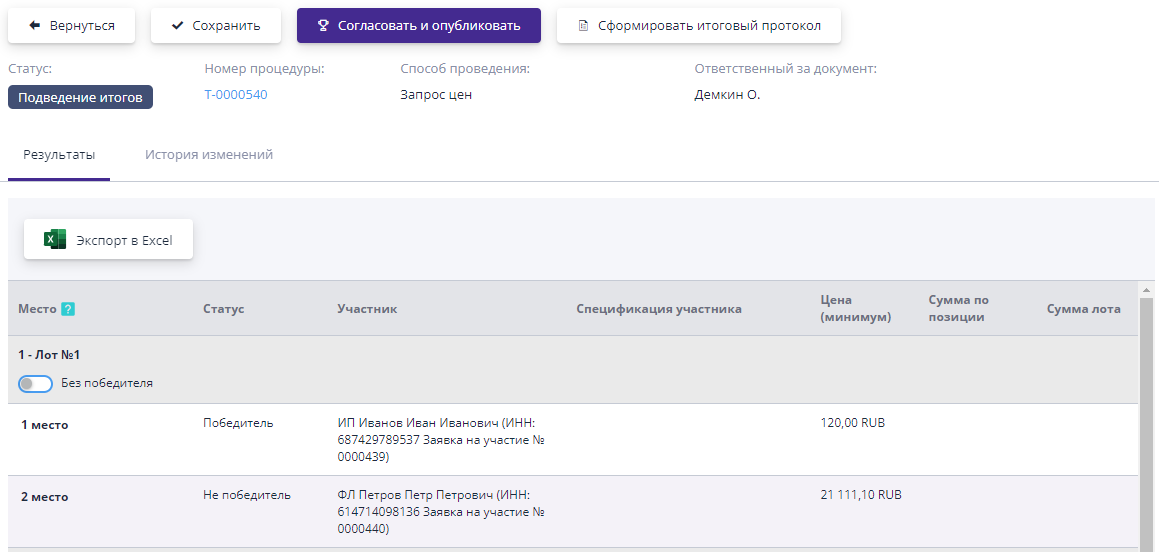
When summing up the results, the following actions are available:
-
Completion of auctions for the lot without a winner.
-
Ranking of participants in the final table, assignment of place.
-
Selection of one or more winners.
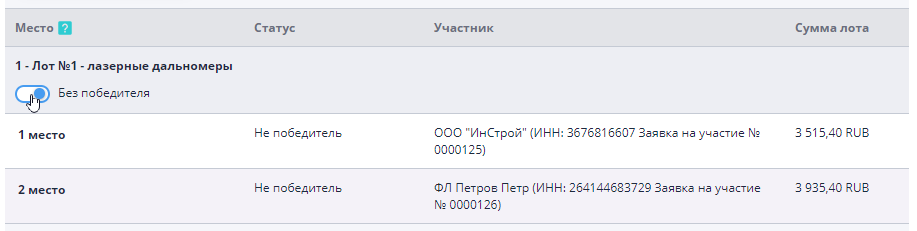
Completion of auctions without a winner is carried out by placing switch of the same name near the lot name.In the "Without" mode winner" buttons for ranking by place and selecting a winner become inactive:
To change a participant’s place in the final table, use the buttons "Change Winner Totals", "Move Up" or "Move Below" near the participant's current position:
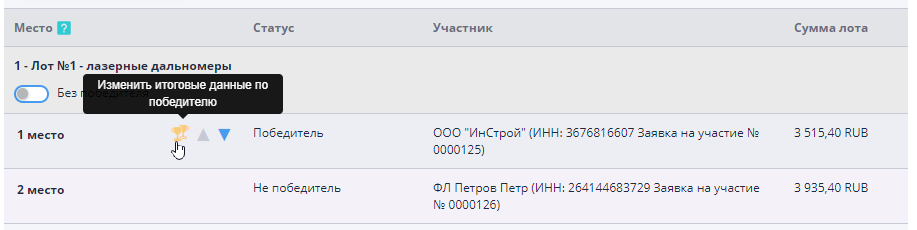
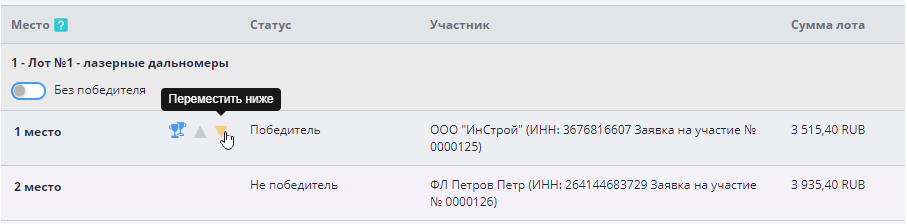
When using arrows, the participant's position will change by one line in the specified direction.When using the “Change” button final data on the winner", a window will open where you will be offered enter the participant's place manually and indicate the status: winner, not winner, reserve winner.
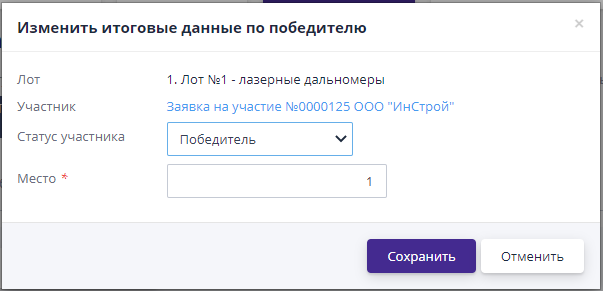
The winners can be one or more participants.
“Comments” block
If the system has comment functionality enabled, then company employees the customer has the opportunity to leave his comments regarding the summary of the procedure.For this You must enter your comment in the text field and click "Send":

Once submitted, the comment becomes available for everyone to view.If the comment was added by mistake or there was an error in its text, then some time after publication it can be edited or deleted, by clicking on the appropriate button in the desired comment block.